First join hostname attribution
CoreHow a player is bound to the address they first joined through, and how to point new addresses at your proxy.
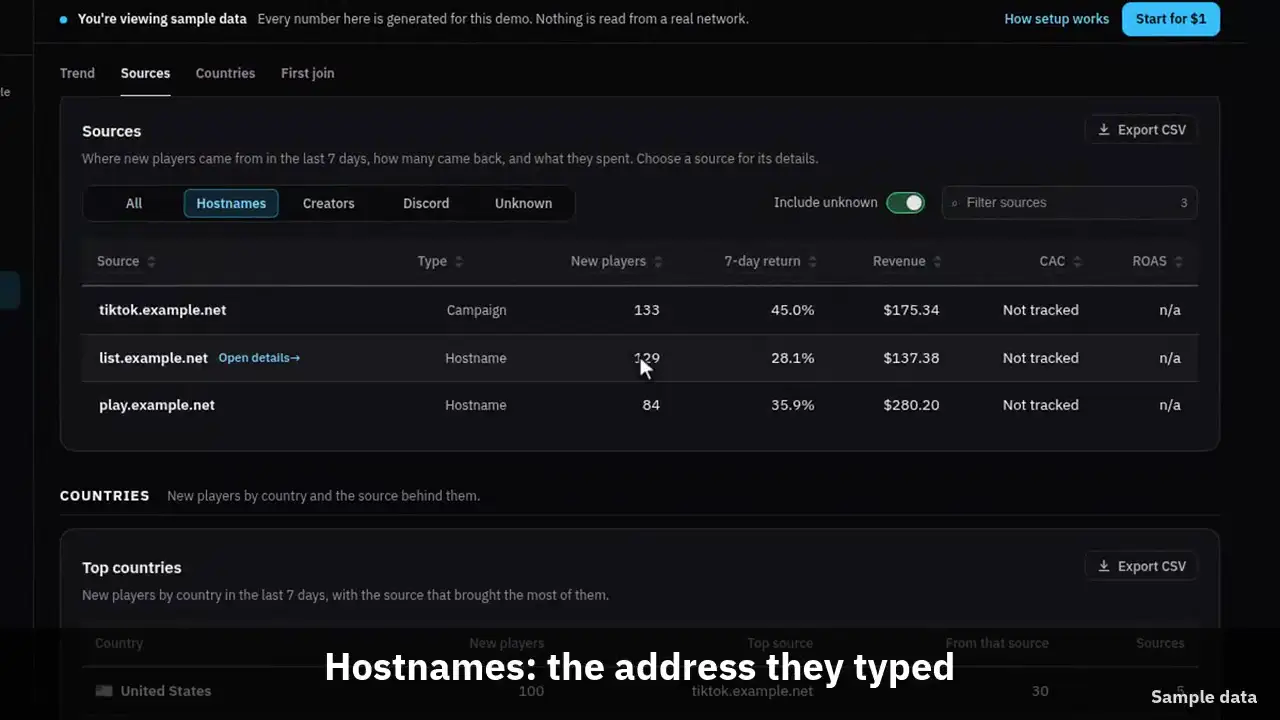
The clip shows, in order:
- Every new player has a first join address.
- Hostnames: the address they typed.
- The first session writes the source for good.
- No hostname lands in Unknown, not guessed.
- The first session, by source.
#How it works
When a player types an address into their client, that string travels in the handshake packet before anything else. The Velocity connector reads it and sends it with the session as the hostname field.
The first session we ever record for a player writes their acquisition source. Later sessions do not change it.
#DNS for a new address
To give a creator or a server list its own address, point a new name at the same proxy. Nothing changes on the proxy itself.
With an A or a CNAME record the client connects to the address it resolves to, but the handshake still carries the name the player typed. That is what makes a CNAME per campaign work.
# One CNAME per campaign, all pointing at the proxy
tiktok.myserver.net.   300  IN  CNAME  play.myserver.net.
partner.myserver.net.  300  IN  CNAME  play.myserver.net.
youtube.myserver.net.  300  IN  CNAME  play.myserver.net.

# Or a wildcard A record at the proxy address
*.myserver.net. 300 IN A 198.51.100.1#SRV records and a custom port
An SRV record is different. When the client finds one, it connects to the target the record names and sends that target in the handshake, not the name the player typed. The Velocity FAQ says the same about forced hosts.
So an SRV record per source only keeps sources apart when every record has a target of its own. Point them all at play.myserver.net and every one of them arrives as play.myserver.net, in one row. If your proxy listens on 25565, skip SRV and use the A or CNAME records above.
# Proxy on port 25577: one SRV target per source
_minecraft._tcp.tiktok.myserver.net.  300  IN  SRV  0 0 25577  tiktok-srv.myserver.net.
_minecraft._tcp.youtube.myserver.net. 300  IN  SRV  0 0 25577  youtube-srv.myserver.net.
tiktok-srv.myserver.net.              300  IN  A    198.51.100.1
youtube-srv.myserver.net. 300 IN A 198.51.100.1#The rules
- The source is written once, on the first session, and is never rewritten.
- A session with no hostname is recorded, and the player lands in an explicit unattributed group rather than being guessed at.
- Hostnames are lowercased and length checked before they are stored.
- A backend server behind a proxy sees no hostname, which is why the proxy connector owns this.