Plans and billing
AccountWhat each plan costs, how the first month offer works, and how lifetime seats behave.
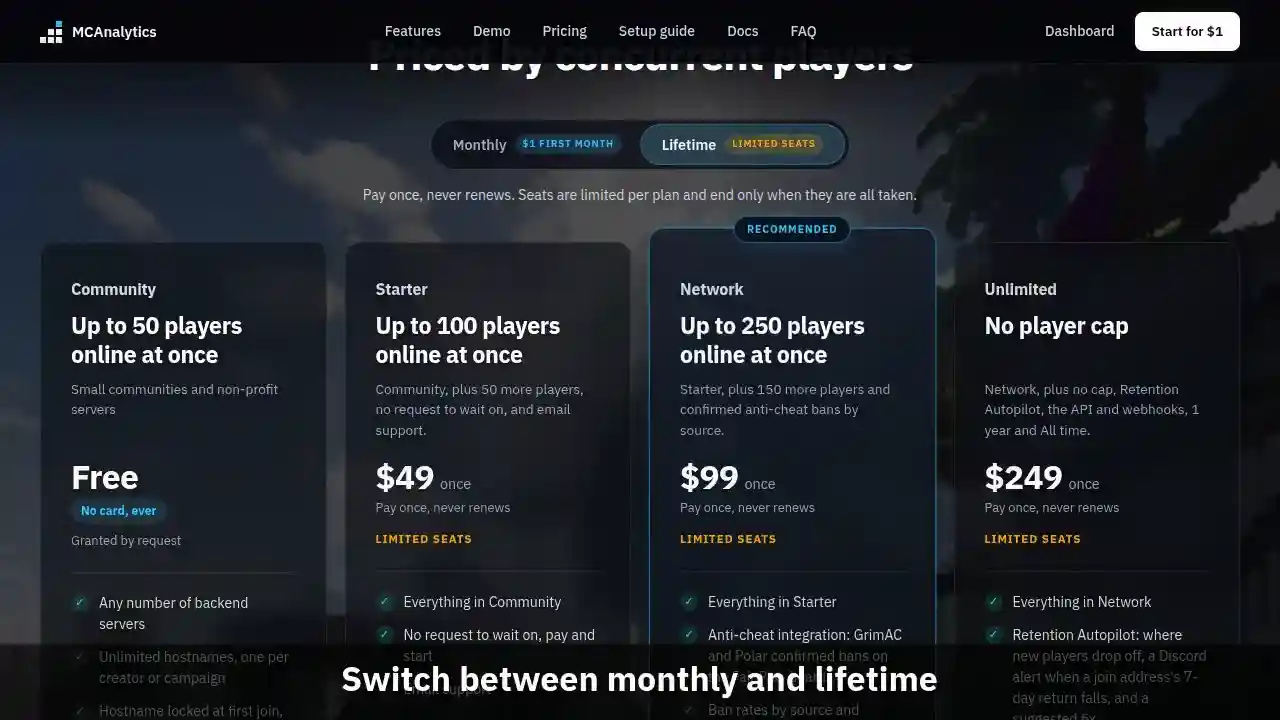
The clip shows, in order:
- Plans are priced by concurrent players.
- Switch between monthly and lifetime.
- First month is one dollar.
- Plans and billing docs: limits and lifetime.
#Plans
Every plan carries the growth stack and Discord support. What changes is the peak concurrent player count it covers, and whether anti-cheat integration is included. Anti-cheat starts at Network. Prices are in US dollars and exclude any tax that applies where you are.
Unlimited takes the player cap off and adds three things of its own: Retention Autopilot (where new players drop off, a Discord alert when a join address's 7-day return falls, and a suggested fix), the network API with outgoing webhooks, and the 1 year and All time dashboard ranges. The long ranges change only what a page shows. Your data is kept the same on every plan.
| Plan | Monthly | Lifetime | Covers |
|---|---|---|---|
| Community (free plan) | Free, no card | Not sold | Up to 50 players online at once |
| Starter | $4.99 | $49 once | Up to 100 players online at once |
| Network | $9.99 | $99 once | Up to 250 players online at once |
| Unlimited | $24.99 | $249 once | No player cap |
#First month offer
The first month of any monthly plan costs $1, once per person. The offer has no closing date. There is no separate free trial.
#Lifetime seats
Each paid plan also sells a limited number of lifetime seats, paid once and never renewing. Seats close when they are full.
A seat is counted from paid records, so a full refund returns it to the pool. Buying a lifetime seat while a monthly plan is running cancels that subscription.
Lifetime means the lifetime of the service. It is not a promise that the service runs forever.
#Plan limits
Each plan covers a number of players online at once: 50 on the free plan, 100 on Starter, 250 on Network, and no cap on Unlimited. The peak is read over the last 7 days the way Online now counts: proxies added up, the servers behind them never added on top.
The first time the peak goes over, the owner sees a notice on the dashboard and gets one email and Discord alert, and a 7 day grace period starts.
If the network is still over its cap when the grace period ends, data keeps being recorded, and the dashboard shows data up to the end of the grace period plus an upgrade card. It opens up again as soon as the network upgrades or its peak over the last 7 days is back under the cap.
Anti-cheat bans are stored from Network up. Below that the connector's bans are refused and the Fair Play board shows a locked state. Bans stored before a downgrade are never deleted.
A network with no live plan and no Community access keeps its heartbeat, so the connector can say the plan is inactive, but every other event is refused. The connector keeps those events on the server's disk, for up to 7 days, and sends them once a plan is active again.
#Managing a subscription
The owner manages a monthly plan on the Billing page: switch to a bigger or smaller plan, cancel, or resume. Before a switch, Billing shows what it costs. An upgrade charges the difference for the rest of the period right away, and a downgrade leaves a credit on the next invoice.
Billing also lists your recent invoices and the card on file. Changing the card opens a Stripe page in a new tab, so card details are entered on pages Stripe controls and never reach MCAnalytics.
A cancellation takes effect at the end of the period you already paid for. A network with no live plan and no Community access keeps its Billing, Account, and Settings pages, and loses the rest of the dashboard until a plan is live again.