WorldGuard regions
All plansSee which WorldGuard regions players spend time in, where new players spend their first session, and where they quit.
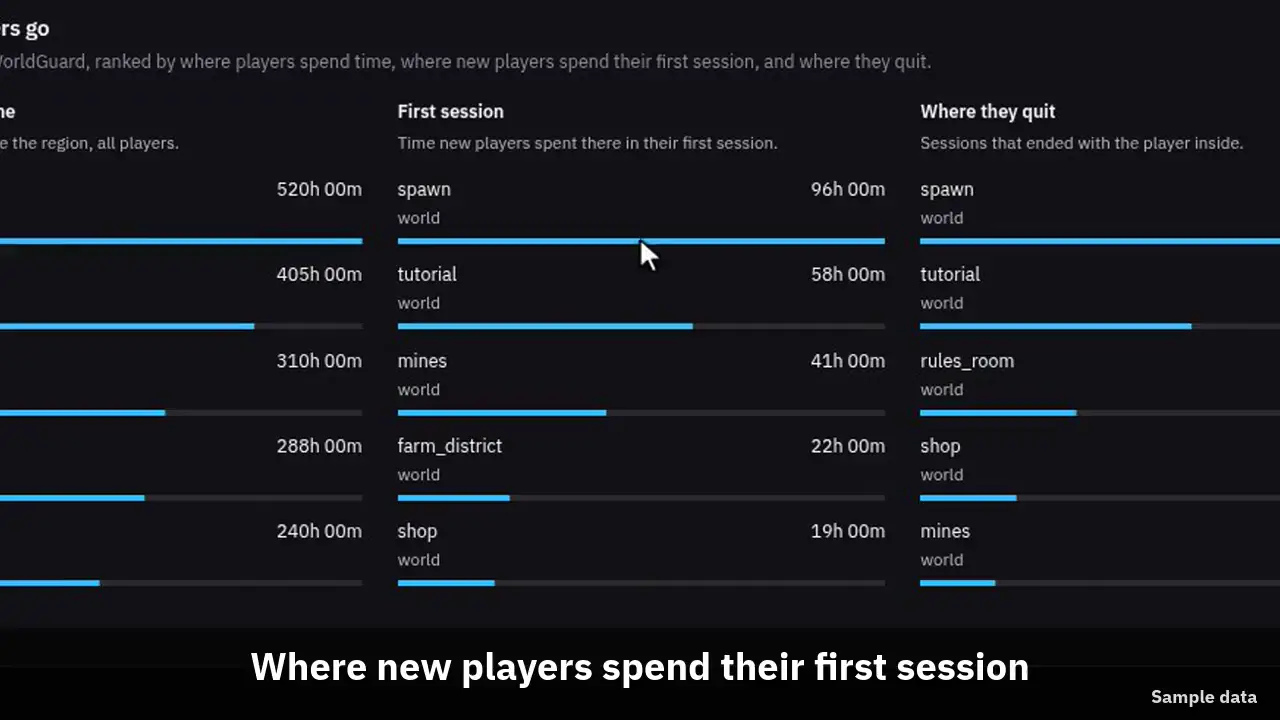
The clip shows, in order:
- The Players page ends with a regions card.
- Most player time, by region.
- Where new players spend their first session.
- Where sessions ended: where they quit.
- It follows the range and server picker.
#Set it up
Install WorldGuard 7 with WorldEdit on a Paper server and run connector 1.0.14 or newer there. There is nothing else to do. The connector finds WorldGuard when it starts, and again if WorldGuard loads after it.
Region tracking is on by default. To turn it off, set worldguard-regions: false in the connector config.yml and restart. A server without WorldGuard reports no regions and the rest of the connector works as before.
# Report which WorldGuard regions players enter and leave.
worldguard-regions: true#What is sent
Each server checks where its players are every few seconds, and only looks up a player who moved to another block. When a player steps into a region the connector records region_enter, and region_leave when they step out. Both carry the region name and the world. A leave also carries how many seconds the visit lasted.
If the player is still inside a region when the session ends, the leave is marked as a quit. That is how the card counts where players quit.
Coordinates are never sent, and neither is anything else about the region. The world region, __global__, is skipped. Region names are stored in lower case.
A session sends at most 24 enters and leaves, so a player pacing along a border cannot fill it. The quit leaves are always kept.
| Event | Data |
|---|---|
| region_enter | region, world |
| region_leave | region, world, seconds, quit (only when the session ended inside) |
#Where players go
The card is on the Players page, last on the page. It has three lists of up to five regions each.
- Most player time: the regions where players spent the most time in the range.
- First session: where new players spent the time of their first session on the network.
- Where they quit: the regions where the most sessions ended with the player inside.
#Never left spawn
Connector 1.0.14 also reports how far a player got from where they started, as one of four sizes: under 16 blocks, 16 to 64, 64 to 256, or over 256. Another world counts as over 256. It sends the size only, not a position, and it needs no WorldGuard.
Retention Autopilot uses it for Never left spawn. If the player's first session touched a region named spawn, or named like your lobby server, leaving that region is what counts. Without one, staying under 16 blocks counts. Servers on an older connector keep the old rule, no advancement and no move off the hub.
#Limits
The card is rebuilt every hour, so a new server can take up to an hour to show its first regions.
Region visits are kept in full for 35 days and as daily totals for a year. The daily totals do not name players.
A plugin that moves players as they join can throw off the start point. The connector treats a plugin teleport in the first 10 seconds as part of arriving. A player sent to spawn later, by a login plugin that waits, may read as having moved.