Anonymous case studies
Every planShare your growth as a public case study with no name on it. Only relative curves, week numbers and a size band leave your network, and you can stop at any time.
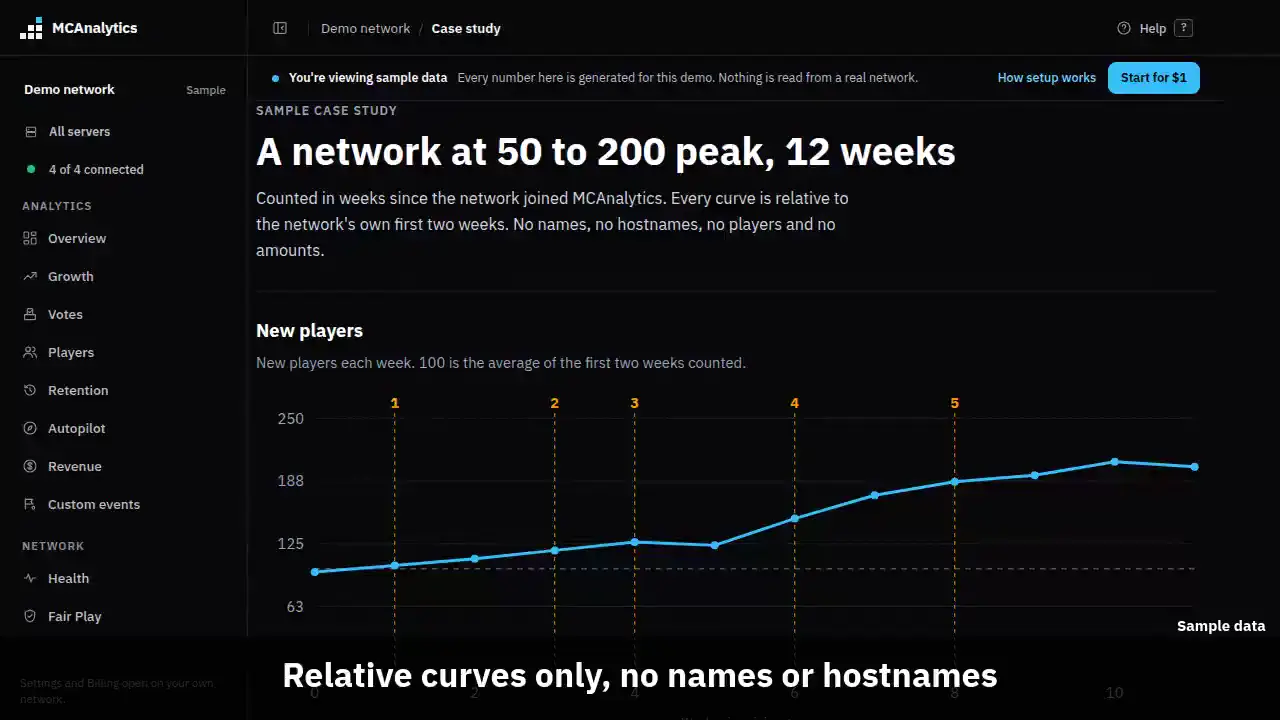
The clip shows, in order:
- Relative curves only, no names or hostnames.
- Day 7 return by week since joining.
- Revenue as an index, never amounts.
- What the owner did, from a fixed list.
- Before and after, with the sample size.
#How it works
Case studies are off for every network. The owner of a network can switch on Share an anonymous case study in Settings, Data and privacy. Every plan can do this.
Once it is on, MCAnalytics builds one study from your own numbers every night. It needs at least 4 weeks of data and enough players, so a very quiet network gets no study. The study stays private until an operator reads it and approves it.
Public studies are listed at /case-studies. Nothing there is made up. If no owner has shared yet, the page says so.
#What is shared
A study has relative curves only. Growth index is new players each week, where 100 is the average of your first two weeks. Day 7 return is the share of each week's new players who came back within 7 days. Revenue index works like growth index and shows no amounts.
Weeks are counted since you joined MCAnalytics. Your size is shown as a band, for example 50 to 200 peak.
The timeline lists things you did, taken from a short fixed list, such as Connected a second store or Connected Discord alerts. Next to each one the study shows what happened in the weeks before and after, with the number of players and a range. It says after, not because. Other things change at the same time.
- Never shared: your network name, slug or hostnames.
- Never shared: player names, UUIDs or any player data.
- Never shared: exact revenue amounts.
- Never shared: anything you typed, such as chat, notes or package names.
#Turn it on or off
Only the owner of the network can change this. We keep a log of when it was switched on or off and which Terms version was current, so there is a record of your choice.
- Open Settings, then Data and privacy, and find Share an anonymous case study.
- Read the lists of what is shared and what is not, switch it on, and press Save sharing.
- To stop, switch it off and save. Your study is deleted at once. A nightly check removes any that was missed.
#How to read a study
Each chart has weeks since joining along the bottom. A numbered mark on a chart is an event from the timeline. A week with no number stays blank, for example a Day 7 point for a week where some players have not had 7 days yet.
A before and after row appears only when both sides have at least 2 weeks and 30 players. The weeks read on each side are the 4 nearest, and the event week itself is left out. The range is a 95 percent range for the Day 7 change.
A study cannot say an event caused a change. It shows what came next to it.
#Limits
| Rule | Value |
|---|---|
| Data needed before a study is built | 4 whole weeks |
| New players needed in total | 100 |
| New players needed in the first 2 weeks | 20 |
| Sales before a revenue curve is drawn | 10 |
| Players on each side of a before and after | 30 |
| Events listed on one study | 8 |
| Who can switch it on | The network owner |
| Time before a withdrawn study is gone | At once, and no later than the next nightly run |