Custom events
Network and upSend events from your own plugins, site or Discord bot, such as a crate opened or a quest done, and follow players from one event to the next.
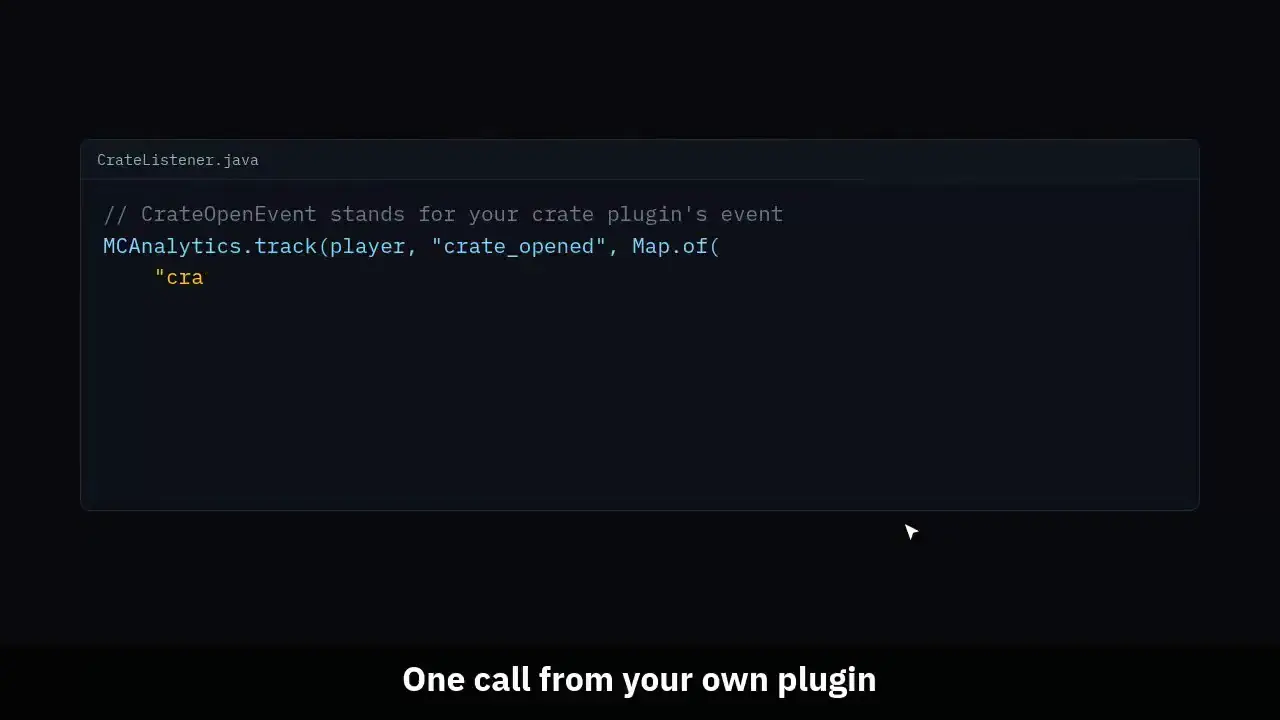
The clip shows, in order:
- One call from your own plugin.
- Events per day, a line for each busy event.
- Top events and the players behind them.
- One prop of one event, value by value.
- A funnel of 2 to 4 events, in order.
#How it works
An event is a name, an optional player and a few props. Your plugin calls MCAnalytics.track, the connector checks it and sends it with the rest of its data. Your site or bot posts the same shape to the events API with a key.
A player is matched by UUID, and on a Floodgate server by Bedrock XUID, never by name. An event with no player, or a player who never joined, is kept and counted as unmatched.
Custom events are on the Network plan and up. On a smaller plan the call answers NOT_IN_PLAN and nothing is stored.
#Add the API jar
You need connector 1.0.15 or newer on the server. Add the API jar, mcanalytics-api-1.0.15.jar, to your plugin and shade it with a relocation, so two plugins never fight over one copy. It has no dependencies and works on Paper, Folia, Spigot and Velocity.
dependencies {
    implementation(files("libs/mcanalytics-api-1.0.15.jar"))
}

tasks.shadowJar {
    relocate("net.sniffstudio.mcanalytics.api", "com.example.myplugin.libs.mcanalytics")
}#From a Paper plugin
Add MCAnalyticsLoader to softdepend in plugin.yml so your plugin loads after it. The loader starts the connector a moment after the server is up, so a call before that answers NOT_AVAILABLE. The call is cheap and safe from any thread: it checks the event, queues it, and returns at once.
import net.sniffstudio.mcanalytics.api.MCAnalytics;
import net.sniffstudio.mcanalytics.api.TrackResult;
import java.util.Map;

// CrateOpenEvent stands for your crate plugin's own event.
public final class CrateListener implements Listener {
    @EventHandler
    public void onCrateOpen(CrateOpenEvent event) {
        Player player = event.getPlayer();
        TrackResult result = MCAnalytics.track(player, "crate_opened", Map.of(
            "crate", event.getCrate().getName(),
            "keys_left", event.getKeysLeft(),
            "from_vote", event.isVoteKey()
        ));
        if (result == TrackResult.INVALID) {
            getLogger().warning("MCAnalytics did not take crate_opened");
        }
    }
}#From a Velocity plugin
The same jar and the same call. Pass the Velocity Player, or a UUID, and add mcanalytics-loader as an optional dependency of your plugin.
import net.sniffstudio.mcanalytics.api.MCAnalytics;
import java.util.Map;

@Plugin(id = "linker", dependencies = {
    @Dependency(id = "mcanalytics-loader", optional = true)
})
public final class Linker {
    @Subscribe
    public void onLinked(AccountLinkedEvent event) {
        MCAnalytics.track(event.getPlayer(), "discord_linked", Map.of("via", "bot"));
    }

    // An event with no player.
    void onRestart() {
        MCAnalytics.track("proxy_restarted", Map.of());
    }
}#From your site or bot
Mint a key in Settings, Integrations with the Send custom events scope, then post one event, or up to 50 under events. The network comes from the key, never from the body. Send eventId, any 8 to 64 letters, digits, dashes or underscores, and a retry with the same id counts once.
uuid is the Minecraft UUID of the player, when you know it. at is when it happened, up to 8 days back, and defaults to now. One event answers 201, or 200 for a retry. A list answers 200 when every event was taken and 207 when some were not, with each one's answer at its index.
curl -X POST https://mcanalytics.org/api/v1/events \
  -H "Authorization: Bearer $MCA_KEY" \
  -H "Content-Type: application/json" \
  -d '{
    "eventId": "order-7f3a91c2",
    "name": "store_page_viewed",
    "uuid": "069a79f4-44e9-4726-a5be-fca90e38aaf5",
    "props": { "page": "ranks", "logged_in": true }
  }'

curl -X POST https://mcanalytics.org/api/v1/events \
  -H "Authorization: Bearer $MCA_KEY" \
  -H "Content-Type: application/json" \
  -d '{ "events": [
    { "name": "ticket_opened", "props": { "category": "appeal" } },
    { "name": "ticket_closed", "props": { "minutes": 42 } }
] }'#The Custom events page
Custom events in the sidebar shows events per day with a line for the five busiest names, the top events with how many players each reached, and when each was last seen.
Props breakdown takes one event and one of its props. Text and true or false props list their top 10 values; a number prop shows its lowest, highest, average and sum.
Funnel takes 2 to 4 events in order. Each player counts from their first time doing the first step in the window, and a later step counts only when it came after the step before. Events with no player stay out of it.
#Limits
A name past the 50th is refused with EVENT_NAME_LIMIT. Reuse one name with a prop, crate_opened with crate set to rare, rather than a name for each crate.
Do not put what a player typed, an email or a password in a prop. Props are shown on the board and are part of the export.
| Rule | Value |
|---|---|
| Event name | snake_case, 2 to 40 characters |
| Distinct names per network | 50 |
| Props | flat text, numbers and true or false, 20 keys |
| Prop text | 200 characters |
| Props size | 1 KB as JSON |
| Events per network per minute | 600 |
| Events per server per minute, in the connector | 600 |
| Events in one HTTP request | 50 |
| How old an event may be | 8 days |