Velocity proxy setup
RecommendedInstall and configure the Velocity connector, which owns hostname attribution and session tracking.
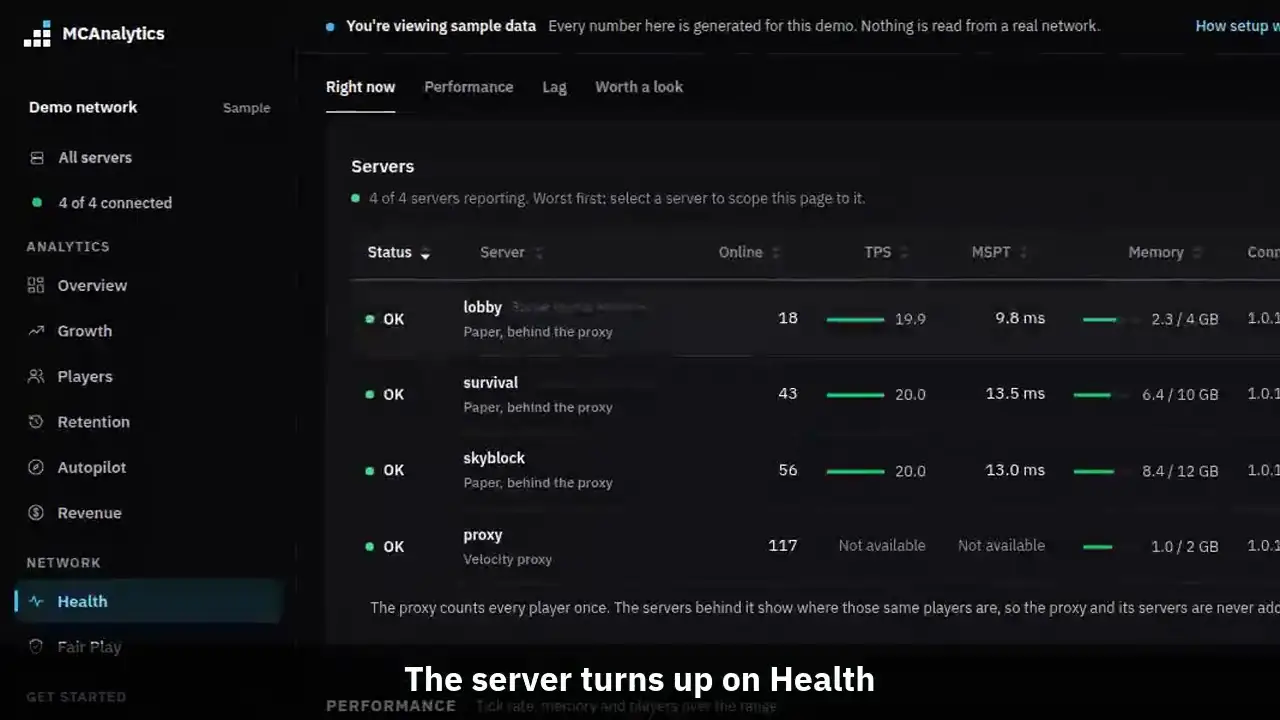
The clip shows, in order:
- Install the loader, set config.toml.
- Pair from the proxy console.
- The server turns up on Health.
- Heartbeats and TPS arrive on their own.
Velocity is where a player connection first arrives, so the connector reads the virtual host there and owns join and quit tracking for the whole network.
#Requirements
- A Velocity proxy. We test on Velocity 3.5.1 and 4.2.0.
- Java 17 or newer for the plugin. Velocity sets its own floor on top of that: Velocity 4 needs Java 25.
- Outbound HTTPS to the MCAnalytics ingest host on port 443.
- A writable plugin folder, so the paired credential can be stored.
#Configuration reference
The config file is plugins/mcanalytics-loader/config.toml, next to the loader's credential. It holds only what an operator should change. The address, timeouts, retries and the local queue are fixed in the connector, and old keys for them are ignored with one line in the console.
# Connect this proxy from the console:
#   mca pair <code>
# MCAnalytics always connects to https://mcanalytics.org.
# There is no address to set.

# Name for this proxy. After pairing, the dashboard name wins.
server_name = "velocity-proxy"

# Full detail of connection problems in the console.
# Leave it off unless support asks for it.
debug = false

# Update the loader jar by itself (loader 1.0.5 and newer). A verified
# newer loader is saved and used after the next restart.
# Set to false to update the loader by hand.
auto_update_loader = true#Environment overrides
Set these when the proxy runs from a read only image, or when you keep secrets outside the container. An environment token wins over the file and the paired credential, and is never written to.
| Variable | Overrides |
|---|---|
| MCANALYTICS_API_TOKEN | api_token, and any paired credential |
| MCANALYTICS_SERVER_NAME | server_name |
| MCANALYTICS_CREDENTIAL_FILE | Where credential.json is kept, instead of the plugin folder |
#Console commands
In the proxy console, type these without the slash, for example mca status. The slash is for running one in game.
| Command | Permission | What it does |
|---|---|---|
| /mca status | mcanalytics.admin | Credential state, endpoint, transport and spool health |
| /mca pair <code> | mcanalytics.admin | Redeems a pairing code and stores the credential |
| /mca inspect <hostname> | mcanalytics.admin | Shows how the proxy resolves one hostname |
| /mca update | mcanalytics.admin | Checks for a newer connector and restarts the connector on it, not the proxy. Also checks for a newer loader, which is used after the next proxy restart |
| /mca help | mcanalytics.admin | Lists the commands |
#Several proxies
A network can run as many Velocity proxies as it needs, in one region or in several. Install the loader on each one and pair each with its own code and its own name. Online now adds the proxies up, and a player who comes in through another proxy is still one player.
Running BungeeCord or Waterfall instead, or next to Velocity? The BungeeCord loader records the same sessions and join addresses, and both kinds of proxy add up the same way.