Minecraft custom events API and data export
Your plugin calls MCAnalytics.track with a name, a player and a few props, and the connector sends it with the rest of its data. Your site or Discord bot can post the same shape over HTTP with a key. The Custom events page shows counts per day, a breakdown of one prop, and a funnel from step to step. The export API pulls players, sessions, purchases from every store, votes and custom events out as JSON or CSV, one page at a time, for any range of up to 400 days.
How it works
Add the API jar
Add mcanalytics-api-1.0.15.jar to your plugin and shade it with a relocation. It has no dependencies and works on Paper, Folia, Spigot and Velocity.
Call track
MCAnalytics.track(player, "crate_opened", props) queues the event and returns at once. From a website or bot, post to the events API with a key.
Read it on the board
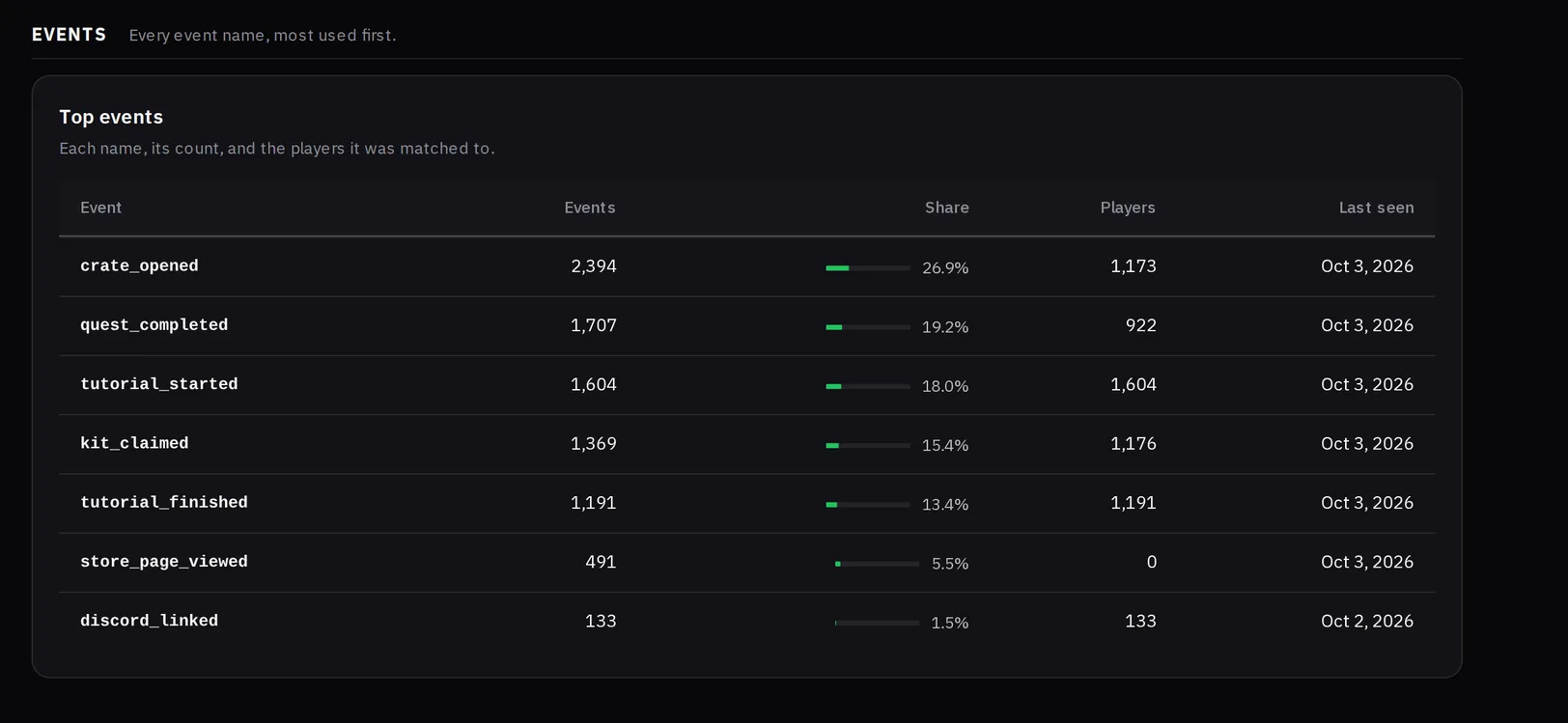
Events per day, the top events with the players each reached, one prop broken down, and a funnel of 2 to 4 events in order.
Export with a key
In Settings, mint a key with the Export scope. Call the players, sessions, purchases, votes or events route, and follow the cursor for the next page.
What you see on the dashboard
Events per day
A line for each of your five busiest event names, and a table of the top events with how many players each reached.
Props breakdown
Pick one event and one prop. Text and true or false props list their top 10 values. A number prop shows its lowest, highest, average and sum.
Funnel
Choose 2 to 4 events in order. A later step counts only when it came after the step before it.
Matched by ID
A player is matched by UUID, or by Bedrock XUID on a Floodgate server, never by name. Events with no player are kept and counted as unmatched.
Limits to know
An event name is snake_case, 2 to 40 characters, with up to 50 different names per network. Props are flat text, numbers and true or false, 20 keys, 1 KB. Past 600 events a minute, the call answers RATE_LIMITED.
Do not put what a player typed, an email or a password in a prop. Props show on the board and are part of the export. The export never carries an IP address, chat text, a store secret or a key.
Questions
Which plans include custom events and the export API?
Network and up. On a smaller plan the track call answers NOT_IN_PLAN and nothing is stored, and the export API answers 403 with NETWORK_PLAN_REQUIRED.
Is track safe to call from any thread?
Yes. It checks the event, queues it and returns at once. A call made before the connector has started answers NOT_AVAILABLE.
What formats does the export give?
JSON, with the cursor for the next page under meta.next, or CSV, with the cursor in a response header. The cursor is the time and id of the last row, so a page never skips or repeats a row while new ones arrive.
Can I export without writing code?
Yes. Settings, Data and privacy has a CSV export card. Pick the data and a range of UTC days. It gives the same file as the API, up to 100,000 rows, for an owner or admin.
Read the docs
- Custom eventsSend events from your own plugins, site or Discord bot, such as a crate opened or a quest done, and follow players from one event to the next.
- Export APIPull players, sessions, purchases from every store, votes and custom events out as JSON or CSV, one page at a time, for any range of days.