Quickstart
QuickstartThe four steps: pick a plan, install the loader, pair, see your data.
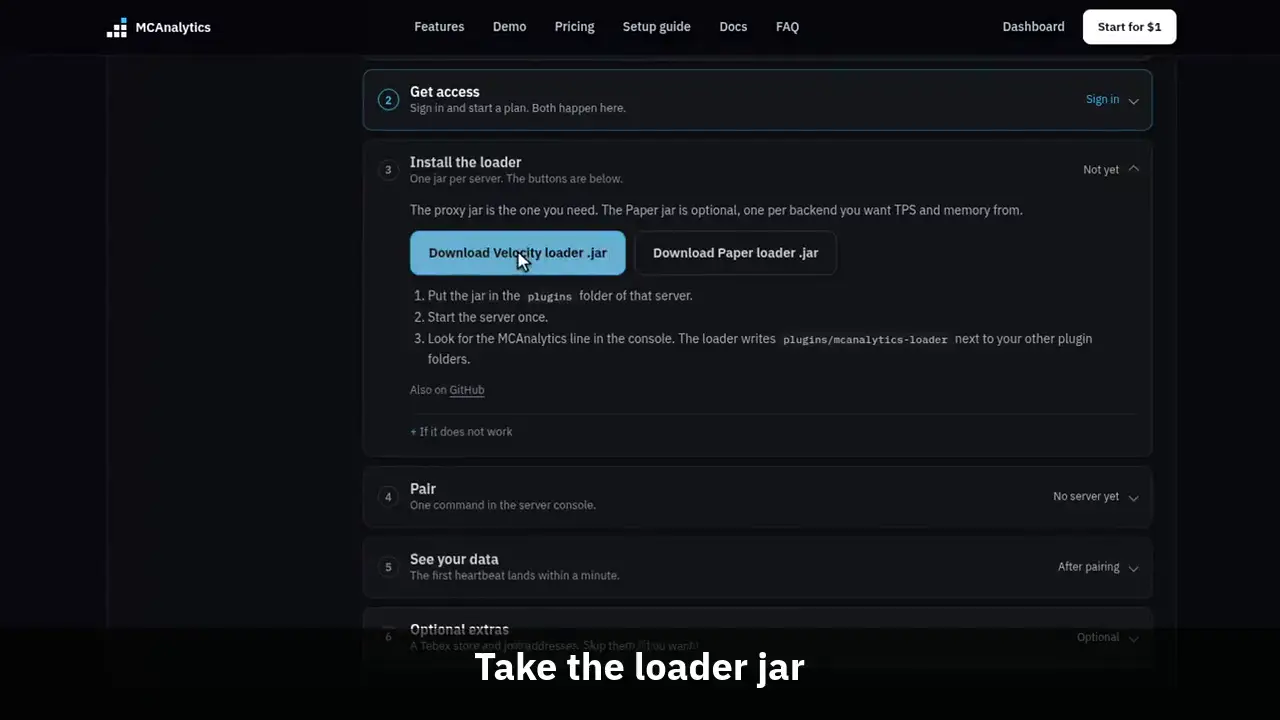
The clip shows, in order:
- Pick what you run.
- Sign in and pick a plan.
- Take the loader jar.
- Pair from the console.
- Then check the connection.
What do you run?
We show only the steps for that setup. You can change it whenever you want.
This is the same four step path the setup guide walks. Pick a plan, drop the loader in, pair from the console, and watch the first heartbeat land.
#Step 1: pick a plan
Pick a plan, sign in, and name your network. The first month of any monthly plan is one US dollar, once per person. Networks up to 50 concurrent players can take the free plan instead: no card, and your dashboard opens the moment you name your network.
Nothing after this step works without a live plan or free access, so it comes first.
#Step 2: install the loader
The dashboard setup panel serves the loader jar from this domain. Press the download button and the current release is streamed straight back, with its SHA256 in the X-Checksum-Sha256 header. The connector jars the loader downloads later are signed by us. From loader 1.0.4 the loader checks the signature against a public key built into it, along with the SHA256 and size, and refuses a jar that fails. The loader is open source, and the GitHub link under the download buttons opens the release list.
Put the Velocity or BungeeCord jar in your proxy plugins folder, or the Paper jar in your server plugins folder, then start the server once so the config file is written. Waterfall takes the BungeeCord jar and Folia takes the Paper jar.
From loader 1.0.5 the loader updates itself. Every six hours, and on /mca update, it looks for a newer loader on mcanalytics.org and checks the SHA256, the size and the same signature before it keeps anything. A verified jar is saved beside the running one, the console prints "MCAnalytics loader X.Y.Z is ready and will be used after the next restart.", and the new loader starts on your next restart. On Paper the jar goes into plugins/update, which Paper swaps in at startup. On Velocity and BungeeCord it is saved as a .pending file next to the loader jar and renamed over it when the proxy stops or starts, so only one loader jar is ever loaded. It never installs an older version.
This is on by default. To turn it off, set auto-update-loader: false in config.yml on Paper, or auto_update_loader = false in config.toml on Velocity and BungeeCord. Loaders 1.0.4 and older do not update themselves, so they need one manual update: download the current loader from the setup panel and replace the old jar. After that, no manual update is needed.
Do not add an api_token line on Velocity or BungeeCord, or an api-token line on Paper. That is the older manual path, and a token in the file takes precedence over a paired credential at every start.
/download/loader/velocity
/download/loader/bungee
/download/loader/paper
Also on GitHub
#Step 3: pair each server
In the dashboard open Settings, then Servers. Press Add a server, name it, pick Velocity, BungeeCord or Paper, and press Get pairing code. A code is eight characters, single use, and expires ten minutes after you make it. A network holds at most one live code at a time, and only an owner or an admin can make one.
Type the command into each console, without the slash, on the proxy and on Paper alike. In game, keep the slash; running it as a player needs the mcanalytics.admin permission.
# Velocity or BungeeCord proxy console
mca pair K3M9-QT4B

# Paper backend console
mca pair K3M9-QT4B#Step 4: see your data
Run the status command. It reports whether the connector holds a credential, which endpoint it talks to, and the state of the spool.
Heartbeats are sent every ten seconds by default, so the Health page shows the server shortly after it starts.
/mca status