Player lookup
Network and upSearch one player by name, UUID or Bedrock XUID and read their whole story in one place, with private notes for your staff and a record of who looked.
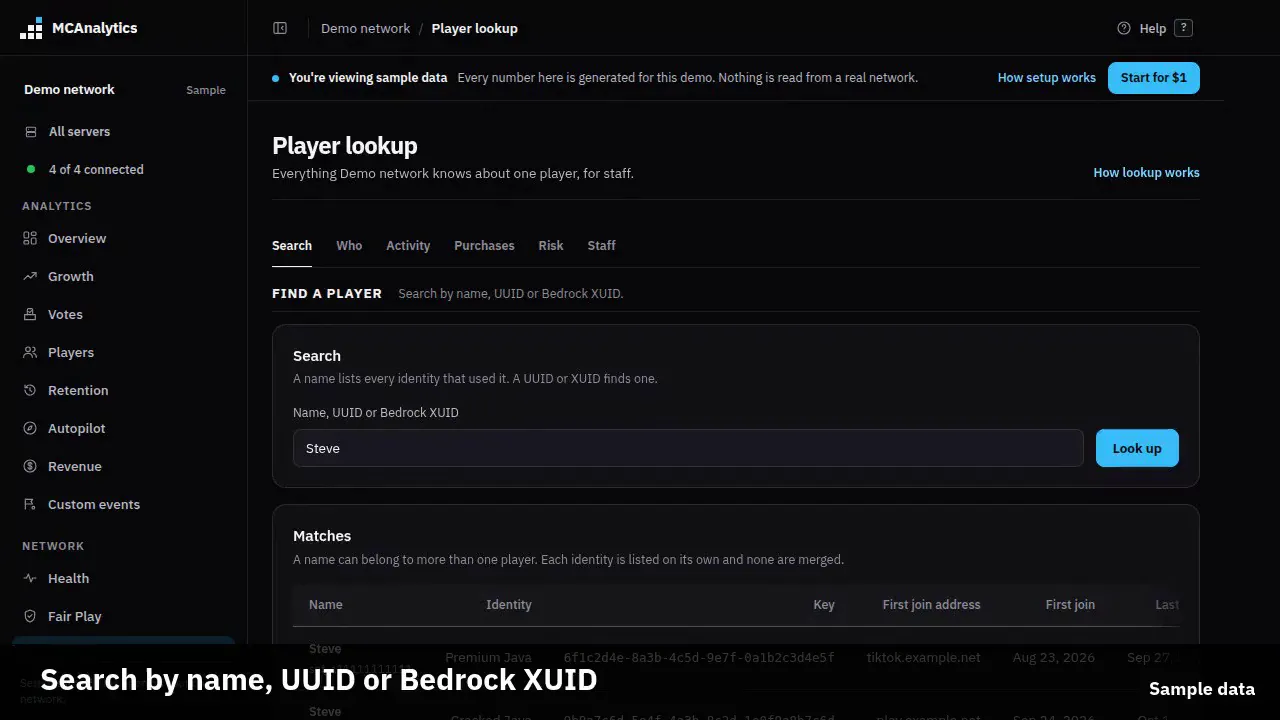
The clip shows, in order:
- Search by name, UUID or Bedrock XUID.
- Every identity of a name, never merged.
- The first join address, locked for life.
- Purchases from every store, matched by UUID.
- Fair Play flags and bans name the anticheat.
- Staff notes and an audit of every lookup.
#How it works
Player lookup is a page in the dashboard for your staff. You type who you are looking for and it opens one player: when they joined, which address they first used, how long they played, what they bought, how they voted, whether they were banned and why.
It reads the data the connector already sends. There is nothing to install and nothing to switch on in the plugin. Player lookup is part of the Network plan and up. Below it, the page tells you so and reads nothing.
#Search
Type a name, a UUID or a Bedrock XUID. A UUID can be written with or without dashes. A name must match the whole name, with any capital letters, and it also finds a player who used that name before a rename.
A name is not one person. A premium account, a cracked account and a Bedrock player can all be called Steve, so the page lists every identity that used the name, each with its type, and you open the one you mean. Players are never joined together by name.
#What a profile shows
A profile has these parts, and a part with nothing to show says so rather than hiding.
- First join, and the address they first joined through. This address is fixed at the first join and never changes after, even if they later join through another proxy or address.
- Identity type, premium, cracked or Bedrock, and the country of their last join. No IP address is stored or shown.
- Total playtime, and a list of their latest sessions with the server and the route they took through your network.
- Purchases from every store you connected, votes, and custom events from your own plugins.
- Fair Play: confirmed bans, each with the anticheat that reported it, GrimAC or Polar, and the check that fired.
- Churn risk with the reasons behind it. A banned player is not scored, and a new player with too little play shows that instead of a guess.
- The last chunk they were seen in, when you have heat data.
#Staff notes
Owners and admins can leave a note on a player, up to 1000 characters. Each note shows who wrote it and when. A note is for your staff only: viewers never see it, and it is never sent to the player or to a public page.
The author can delete their own note, and the owner can delete any. When a player is erased, their notes are erased with them.
#Who can use it
Owners and admins can always search and read notes on the Network plan and up. Viewers can search only when the owner turns on Let viewers use player lookup, in Settings, Team. A viewer who is allowed sees the profile but not the notes or the audit log.
The page works inside your own network only. A player id from another network finds nothing.
#The audit log
Every search, every profile opened and every note added or deleted is written down with who did it and when. Owners and admins can read the latest entries at the bottom of the page. The log keeps the name of a player as it was when you looked, so it still reads true after the player is erased.
#Limits
A ban shows its anticheat only for bans reported by connector 1.0.15 or newer. Older bans show no anticheat name.
Polar support is built from Polar's public documentation and has not been tried on a released Polar jar. If your Polar bans do not appear, see the Confirmed cheat bans page.
| Rule | Value |
|---|---|
| Plan | Network and up |
| Name search | the whole name, not part of it |
| Players listed for one name | 25 |
| A staff note | 1000 characters |
| Audit entries shown | latest 25 |